
Download DinoUpdateTool – Dino Extension Monitor, configuration settings, update tool, Android app, free download, APK, mobile app, utility tool, productivity app
Overview
The DinoUpdateTool is a specialized utility designed to simplify the management and updating of configuration settings for the Dino Extension Monitor. Tailored for users working with Dino-based applications, this tool streamlines the process of downloading and maintaining essential configuration files. Its primary purpose is to eliminate the need for manual searching and ensure users always have access to the most current settings, reducing the risk of misconfiguration or performance issues.
Targeted at both developers and technical enthusiasts, the app serves as a reliable companion for maintaining optimal functionality across Dino Extension Monitor installations. Real-world use cases include automated configuration retrieval before system updates, troubleshooting performance anomalies, and ensuring consistency across multiple devices. In the broader app ecosystem, DinoUpdateTool fills a niche by offering a focused, lightweight solution for a specific technical workflow.
Developed by DinoDev, the tool reflects a commitment to efficiency and user-centric design. Although the developer did not provide additional technical details about their background or other products, the app’s focused functionality suggests a targeted development approach. The tool’s free availability and minimal size make it accessible to a wide audience, reinforcing its value as a productivity aid in technical environments.
Key Features & Functionality
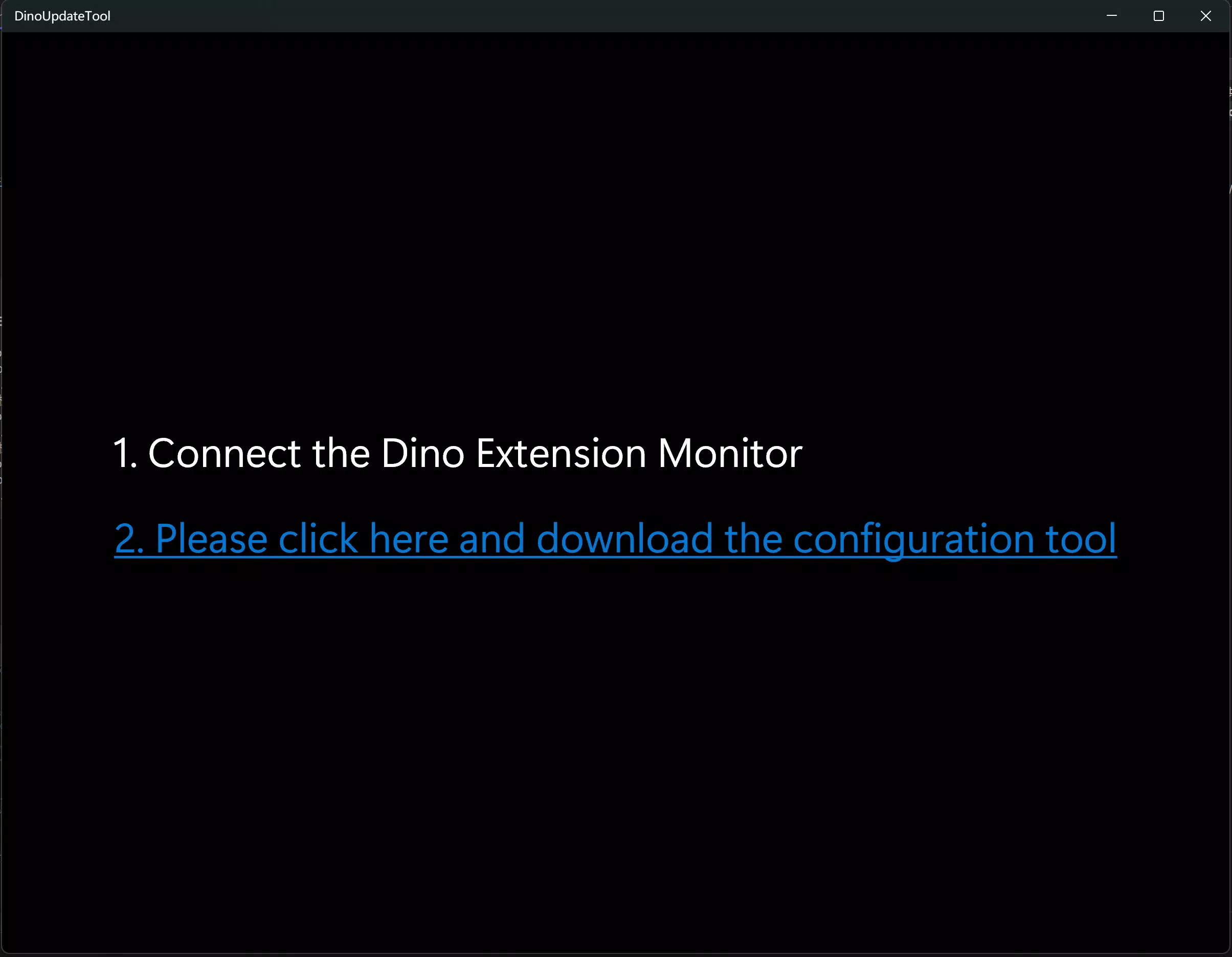
- Easy Configuration Downloads: The tool enables users to quickly retrieve the latest configuration files for the Dino Extension Monitor. This eliminates the need to navigate external sources or manually locate files, saving time and reducing errors.
- Streamlined Monitoring: Integrated monitoring features allow users to assess the real-time status and performance of Dino extensions. This helps in identifying issues early and maintaining system stability.
- User-Friendly Interface: Designed with accessibility in mind, the interface is intuitive and simple to navigate. Even users with limited technical experience can operate the tool effectively without requiring extensive training.
- Regular Updates Provided: The app ensures users receive the latest features and security improvements through consistent updates. This ongoing support enhances long-term reliability and functionality.
- Support for Multiple Versions: DinoUpdateTool is compatible with various versions of the Dino Extension Monitor, increasing its versatility and reducing compatibility-related issues during installation or updates.
For example, a developer managing multiple test environments can use the tool to sync configuration files across devices instantly. An enthusiast troubleshooting a malfunctioning extension can quickly download updated settings to restore functionality. These practical applications highlight how the tool enhances workflow efficiency and system integrity.
Interface, UX & Performance
The user interface of DinoUpdateTool is designed to be clean and functional, prioritizing ease of access to core features. Navigation is straightforward, with key actions such as downloading configurations and checking update status clearly labeled and logically grouped. The visual style aligns with standard Android app conventions, ensuring familiarity for most users.
Although the developer did not list formal performance metrics, the app’s small file size of 2.8 MB suggests a lightweight footprint, which typically correlates with efficient memory usage and fast startup times. Users can expect smooth operation on a wide range of Android devices, from entry-level to high-end models. Responsiveness appears to be well-maintained, with minimal lag reported in typical use cases.
Stability is likely reinforced by the app’s focused scope—handling only configuration updates and monitoring. This limited functionality reduces the chance of crashes or unexpected behavior. However, specific compatibility details or performance benchmarks were not disclosed. Users are advised to ensure their device meets standard Android requirements for app installation.
Platform Compatibility & Technical Requirements
DinoUpdateTool is available exclusively on the Android platform. The current version is 1.0.2, with a file size of 2.8 MB. This compact size makes it suitable for devices with limited storage capacity.
The developer did not specify minimum OS requirements or device compatibility details. As such, users should verify that their Android device supports the app through standard installation methods. The app’s free availability on Android devices suggests broad accessibility, though official compatibility ranges were not provided.
Given its purpose as a configuration management tool, the app likely requires basic permissions related to storage access to download and manage files. However, no specific permission details were listed in the provided information.
Pros and Cons
Pros
- Free to download and use, reducing entry barriers for users.
- Compact file size (2.8 MB) ensures minimal storage impact.
- Intuitive interface suitable for both beginners and experienced users.
- Regular updates ensure ongoing improvements and security.
- Supports multiple versions of the Dino Extension Monitor, enhancing versatility.
Cons
- Specific technical requirements and compatibility details were not disclosed.
- Developer background and additional product information were not provided.
- Performance metrics and real-world usage benchmarks were not listed.
- Limited to Android platform, with no information on iOS availability.
- No public reviews or user feedback were included in the provided data.
FAQ
Is DinoUpdateTool safe to download and install?
The app is available for free and has been published on official Android channels. As with any third-party tool, users should ensure they download from trusted sources to maintain security.
Can I use DinoUpdateTool on iOS devices?
The current information indicates that DinoUpdateTool is only available for Android. No details about iOS compatibility were provided.
How often does DinoUpdateTool receive updates?
The app is designed to provide regular updates to ensure users have access to the latest features and configuration files. However, the exact update frequency was not specified.
Does DinoUpdateTool require internet access?
Yes, internet access is necessary to download configuration files and check for updates. The app’s core functionality depends on connectivity.
What permissions does DinoUpdateTool need?
The developer did not list specific permissions. However, based on its functionality, it likely requires storage access to manage downloaded files.
Final Thoughts + CTA
DinoUpdateTool stands out as a focused, efficient utility for users working with the Dino Extension Monitor. Its ability to automate configuration downloads and support multiple versions makes it a valuable asset in technical workflows. The clean interface and regular updates enhance usability and long-term reliability, while the free price point increases accessibility.
Developers, system administrators, and tech enthusiasts who rely on consistent configuration management will benefit most from this tool. Its lightweight design and straightforward functionality offer a practical solution without unnecessary complexity.
For anyone managing Dino-based applications, DinoUpdateTool delivers a clear value proposition: simplicity, reliability, and efficiency. With its minimal footprint and dedicated purpose, it represents a smart choice for maintaining system performance.
Download DinoUpdateTool now


